Key Takeaway
A practical, diagnostic guide to Google Search Console mastery. Learn how to isolate server errors, resolve soft 404s, unclog crawl bottlenecks, and scale your search impressions.
Why Search Console Crawl Diagnostics Determine Impression Growth
Google Search Console provides the only direct window into how Googlebot discovers, renders, and evaluates your website. When URLs hit server timeouts, encounter redirect loops, or return soft 404 status codes, Googlebot conserves resources and slows its crawl frequency. Your newly published pages sit in queue, while existing pages lose search visibility because refreshed content never enters the index.
Organic impressions represent the top of your search funnel. Before a user clicks your link, your snippet must render on the results page. If technical crawl anomalies block Googlebot from understanding your page depth, impressions drop across entire topic clusters. Resolving these crawl anomalies restores search engine confidence and creates immediate headroom for organic impressions to scale.
Strategic Technical Rule:
Googlebot does not browse like a human. It evaluates HTTP status headers, byte delivery speeds, and canonical declarations in fractions of a second. Diagnosing errors in Search Console requires checking live server headers rather than trusting browser renders.
1. Decoding the Page Indexing Report: Server Errors, 404s, and Soft 404s
The Page Indexing report inside Search Console categorizes every known URL into two broad buckets: indexed and not indexed. The unindexed section contains reasons why pages remain out of search results. Each status requires a distinct remediation workflow.
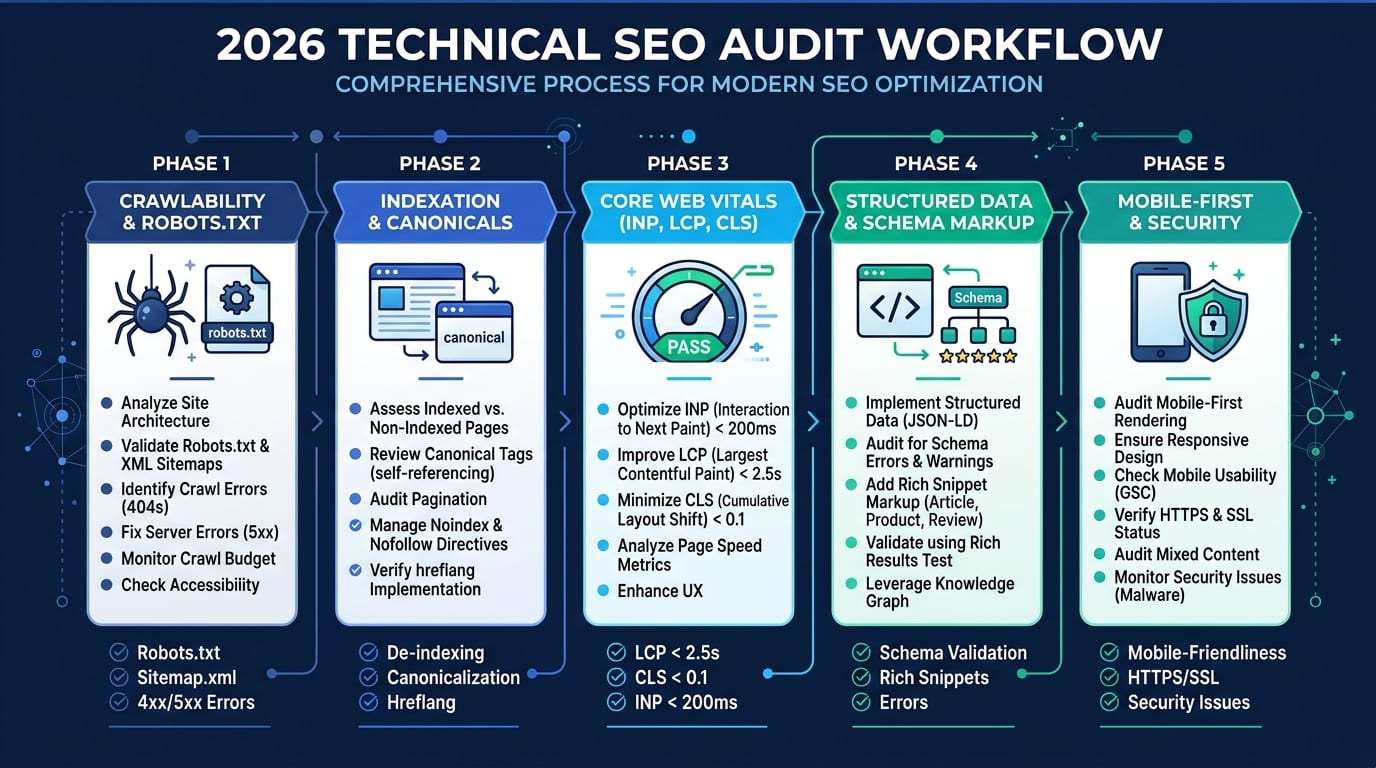
Figure 1: Systematic workflow for identifying and prioritizing server and crawl anomalies in Google Search Console.
Server Error (5xx): This indicates your web server failed to return the requested URL when Googlebot attempted a visit. Common causes include database query timeouts during high traffic, aggressive security firewalls blocking Googlebot IP ranges, or memory exhaustion on PHP-FPM workers. Fix this by reviewing server error logs, raising worker memory limits, and whitelisting official Googlebot reverse DNS hostnames.
Not Found (404): A standard 404 response tells Googlebot that the page no longer exists. If the page was removed intentionally with no equivalent replacement, a 404 or 410 Gone status is healthy and expected. However, if valuable URLs with external backlinks return 404s, map them immediately with direct 301 redirects to the closest relevant category or service page. You can generate clean redirect directives using our Redirect & .htaccess Generator.
Soft 404: A soft 404 occurs when a page returns an HTTP 200 OK success header, yet displays an empty state, a "product out of stock" notice, or minimal content that looks like an error screen. Googlebot views this as deceptive because the header contradicts the rendered output. Resolve soft 404s by either serving true 404 status codes for deleted items or populating the page with substantial category copy, related products, and internal navigational links.
2. Fixing Discovered - Currently Not Indexed and Crawled - Currently Not Indexed
These two statuses create widespread confusion among website owners. They share similar names, but represent very different stages of the search indexing pipeline.
Discovered - Currently Not Indexed: Google knows the URL exists, typically through your XML sitemap or an internal link, but has not yet crawled it. This is primarily a crawl budget and host load signal. Googlebot determined that crawling this URL right now might overload your server, or it prioritized other URLs on the domain with stronger internal PageRank. To clear this backlog, prune low-quality query parameters, speed up your time to first byte, and link directly to these URLs from high-traffic pillar content.
Crawled - Currently Not Indexed: Googlebot fetched the URL, rendered the DOM, parsed the content, and made a conscious editorial decision not to index it. This is almost always a content quality or duplication issue. If your article rehashes generic information without original research, unique case data, or expert insight, Google leaves it out of the index. Compare the page against top-ranking competitors, expand thin sections with proprietary data, and verify that the content meets Google's helpful content guidelines.
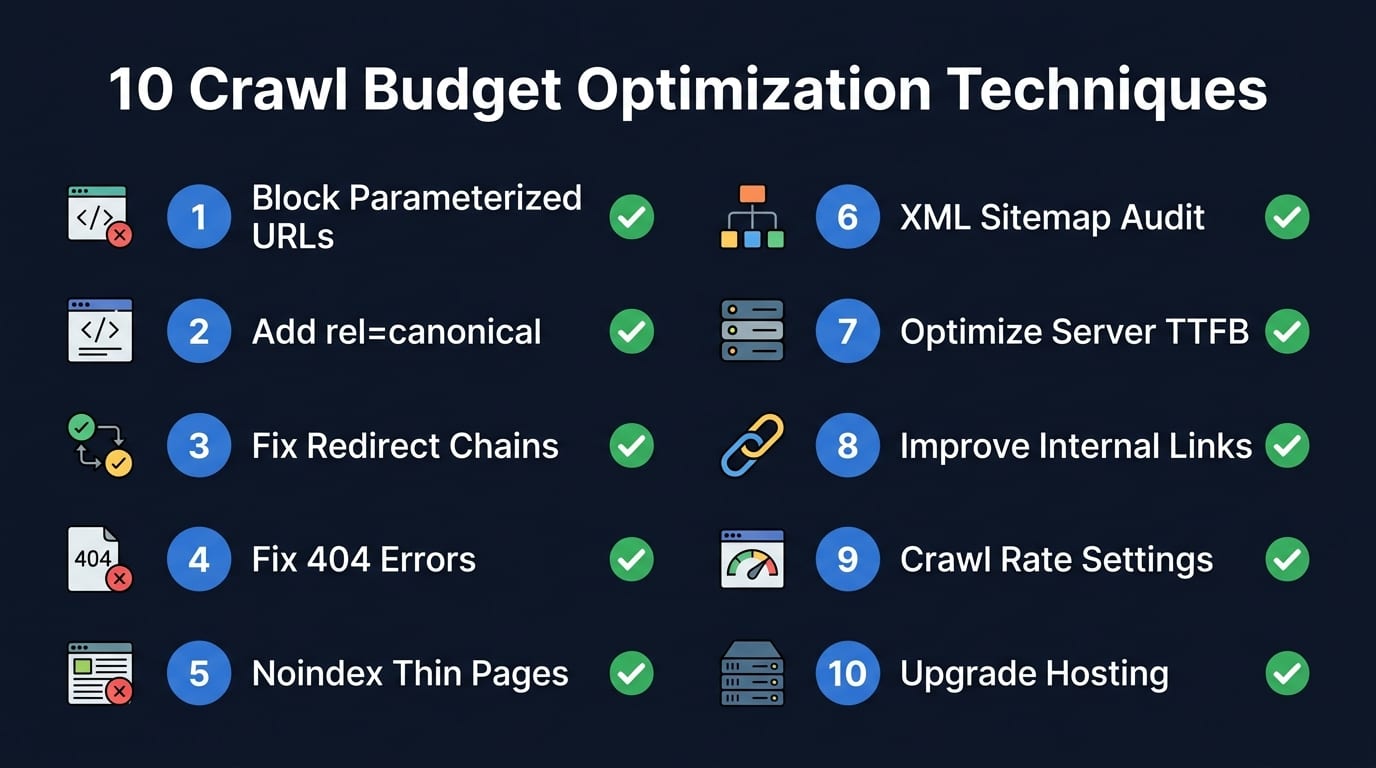
Figure 2: Core techniques for optimizing crawl allocation and eliminating waste on server resources.
3. Robots.txt, Canonical Conflicts, and Redirect Chains
Technical directives can silently sabotage your organic impressions when configured incorrectly. Three specific areas generate frequent Search Console flags:
- Blocked by robots.txt: When a disallow rule matches a page URL, Googlebot cannot fetch the HTML to read meta tags. If the page already had incoming links, Google may still index the bare URL without a description. Ensure your robots.txt file permits crawling of primary content paths, CSS files, and JavaScript bundles. Validate rules with our Robots.txt & Sitemap Suite.
- Duplicate Without User-Selected Canonical: Google found multiple versions of a page (such as HTTP vs HTTPS, trailing slash variants, or tracking parameters) with no self-referential canonical tag. Fix this by specifying an absolute canonical tag on every page using our Canonical & Hreflang Tool.
- Page With Redirect: This status flags URLs that redirect to another destination. It is normal during site migrations. However, watch for multi-hop redirect chains (A goes to B, B goes to C) which bleed crawl budget and slow down crawler processing. Flatten every chain into a single direct 301 hop. Check status hops using our HTTP Header & 301 Checker.
4. Optimizing Crawl Stats and Server Response Times
Hidden under the Settings tab in Search Console is the Crawl Stats report. This section displays your total crawl requests, total download size, and average response time over the last 90 days. It reveals how efficiently your infrastructure communicates with Google's distributed data centers.
Watch the average response time line carefully. If your response time climbs above 500 milliseconds, Googlebot noticeably reduces its daily fetch limit to protect your server stability. When response times drop below 200 milliseconds, Googlebot accelerates crawling across deeper subdirectories.
For custom web applications and content portals, partnering with a dedicated Technical SEO Specialist helps implement edge-caching on Cloudflare, eliminate unindexed taxonomy loops, and keep crawl throughput at peak efficiency.
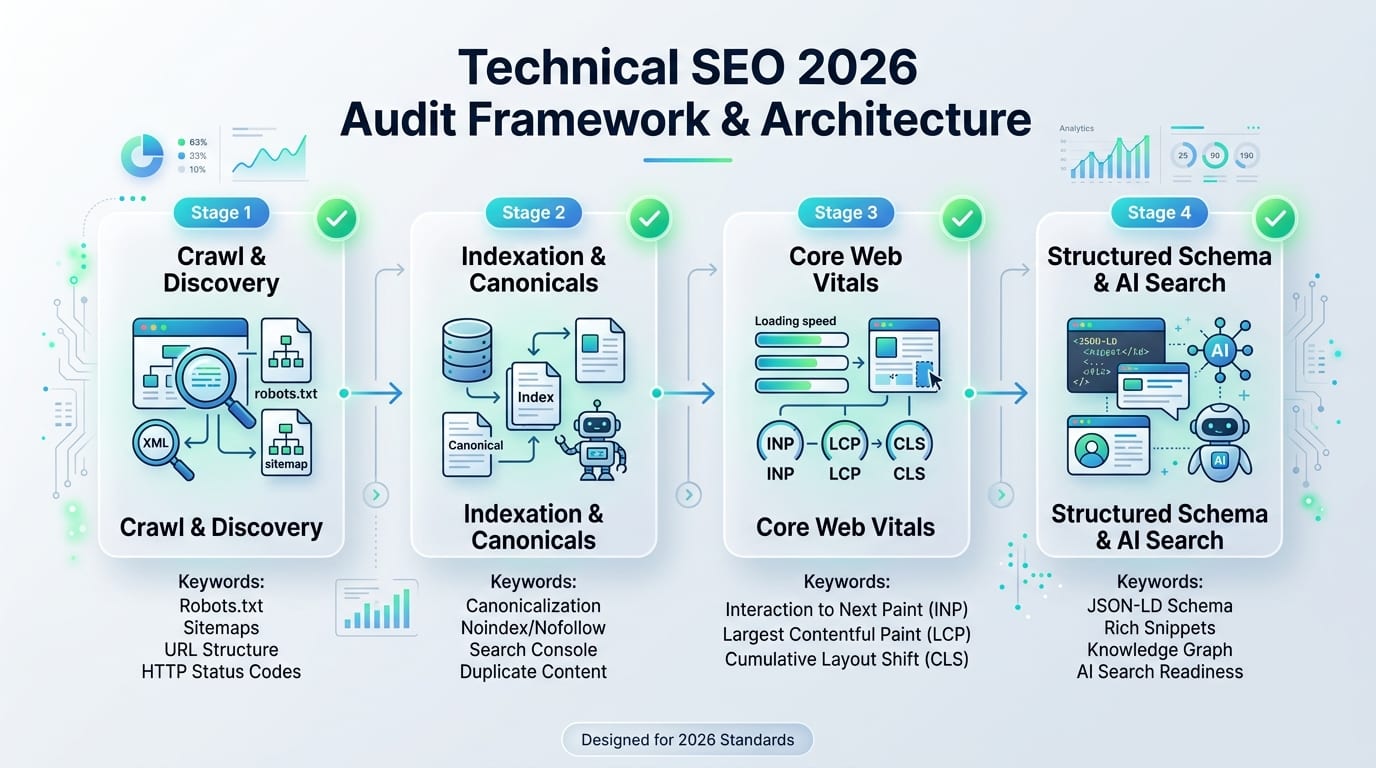
Figure 3: Comprehensive framework connecting technical crawl health to organic visibility and impression growth.
5. Turning Clean Indexation into Surging Search Impressions
Fixing technical crawl errors is half the battle; the second half is activating those indexed pages to capture search impressions. Here is the exact process we use across enterprise client websites:
- Verify Clean Indexation via URL Inspection: Run individual priority URLs through the URL Inspection tool. Confirm that Googlebot reads the canonical tag, loads all resources, and renders the structured data without syntax warnings.
- Inject High-Intent FAQ & Article Schema: Search engines favor structured data to produce rich snippet carousels, expand review stars, and feed AI Overview answers. Deploy verified JSON-LD markup using our Schema Markup Generator.
- Consolidate Internal Link Equity: Identify your top 10 highest-impression pages inside the Performance report. Add contextual, descriptive anchor text links from these power pages pointing directly to newly cleared URLs. Internal link equity tells Googlebot which pages carry business priority.
- Optimize Underperforming Title Tags: Review queries in the Performance report that generate high impressions but low click-through rates. Test new emotional hooks, specific numbers, and intent modifiers to capture the clicks your impressions deserve. Test your title visibility with our SERP Simulator.
6. Crawl Error Remediation Matrix
| GSC Error Status |
Root Cause |
Googlebot Impact |
Actionable Fix |
| Server Error (5xx) |
PHP worker timeouts, server crashes |
Crawl rate slows immediately |
Upgrade hosting, increase worker limits, review error logs |
| Soft 404 |
Empty page body returning HTTP 200 |
Excluded from search results |
Return true 404 header or add meaningful content |
| Redirect Error |
Redirect loop or broken destination |
Crawler abandons request |
Flatten chains to a single direct 301 hop |
| Crawled - Not Indexed |
Thin content, low editorial depth |
Page evaluated and rejected |
Expand depth, add proprietary data, upgrade internal links |
| Blocked by robots.txt |
Accidental disallow directive |
Page body cannot be fetched |
Remove conflicting rules and resubmit XML sitemap |
Frequently Asked Questions About Search Console Crawl Errors
How quickly does Google update Search Console after I fix a crawl error?
When you click "Validate Fix" in Search Console, Google initiates a preliminary check on a sample of URLs. Full validation across thousands of pages generally takes between 7 to 28 days depending on your site crawl budget and server speed.
Do 404 errors hurt your overall website rankings?
Standard 404 status codes on legitimately deleted pages do not harm other pages on your domain. However, widespread 404s on core navigational links or URLs with authoritative external backlinks waste valuable link equity and degrade user experience.
What is the fastest way to request re-indexing for a corrected page?
Open the URL Inspection tool in Search Console, enter the exact URL, click "Test Live URL" to ensure clean rendering, and click "Request Indexing". For bulk updates, update the lastmod timestamp in your XML sitemap and resubmit the sitemap feed.
Why do my organic impressions drop suddenly without manual actions?
Sudden impression drops usually trace back to server latency spikes, accidental noindex deployments in header templates, broken canonical tags, or Googlebot encountering widespread 5xx errors during an update.
How does fixing crawl errors translate into higher organic revenue?
Fixing crawl errors allows Googlebot to index your high-margin commercial landing pages, category archives, and product variants. As index coverage approaches 95%+, impressions expand across long-tail buyer queries, producing steady organic traffic and higher sales conversions.
Fix Your Technical SEO Bottlenecks
Ready to Eliminate Crawl Errors and Scale Search Impressions?
Do not let hidden server errors, soft 404s, or canonical loops suppress your search potential. Partner directly with Abdullah Saleh for a complete technical audit and enterprise-grade SEO implementation.

Abdullah Saleh
Lead SEO Strategist & AI Search Architect
Abdullah Saleh is an Organic Business Growth Specialist and Technical SEO Expert in Bangladesh helping 100+ global brands achieve #1 Google rankings and authoritative citations.


 Technical SEO